
Extract Text from Image or PDF — Simple, Fast, and Free
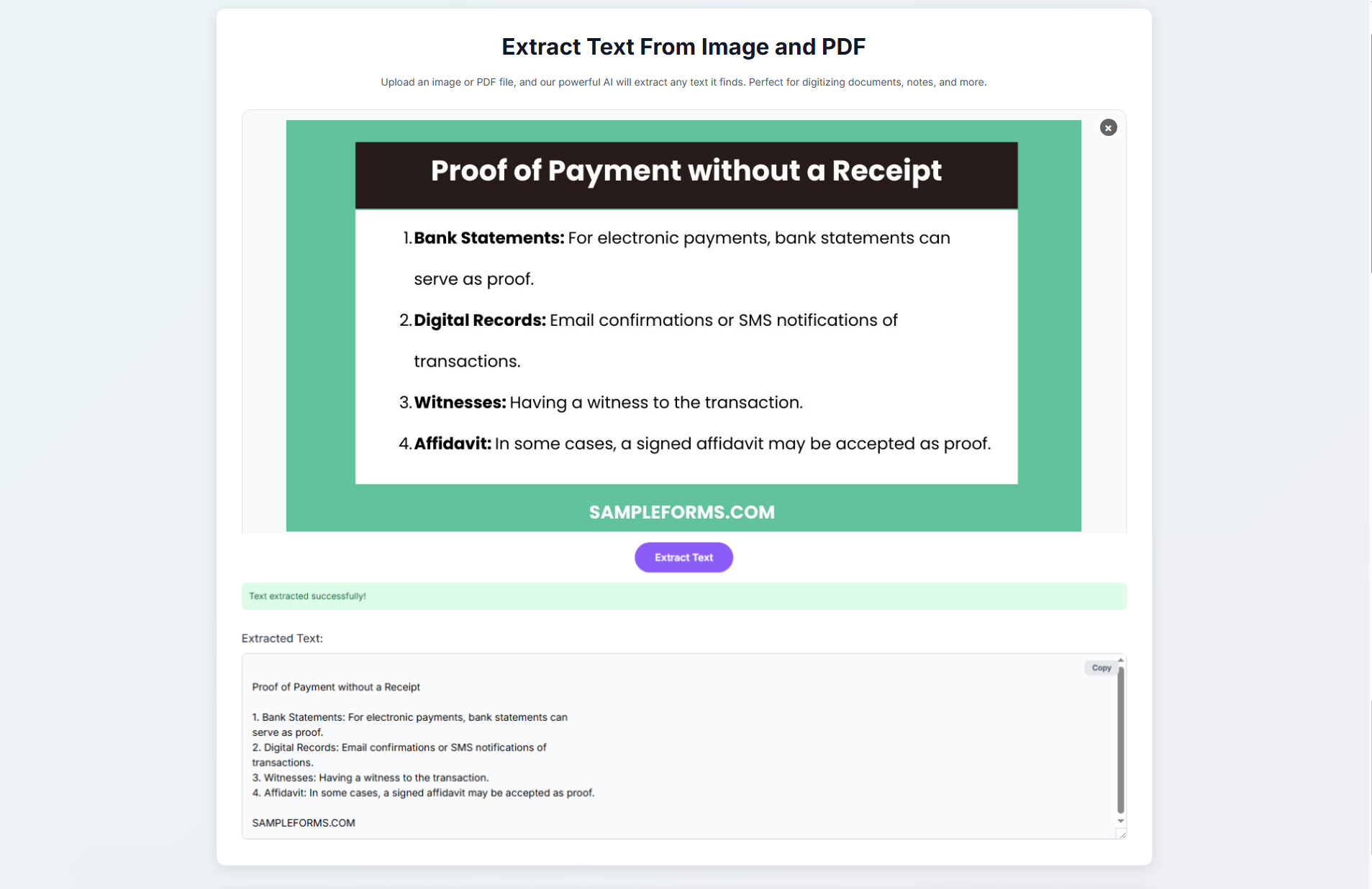 Working with printed, handwritten, or scanned text can sometimes feel inconvenient. Whether it’s notes written on paper, text shown in a slide during a presentation, or information in a document someone sent you as an image or PDF, retyping everything manually is time-consuming. This is where our Extract Text From Image tool helps.
The tool uses AI-powered OCR (Optical Character Recognition) to convert text from images and PDF files into editable digital text. Upload your file, the AI scans it, and the text appears instantly. You can copy, edit, translate, or save it.
It’s simple, fast, and free to use. No sign-up, no payment, no setup. Just upload, extract, and copy.
Try it now for free:
Extract Text From Image or PDF
What This Tool Does
The tool detects text inside images and PDF documents and turns it into selectable text. It works with:
Handwritten notes
Printed documents
Screenshots
Photos of whiteboards
Receipts or invoices
Slide presentations
PDF documents
If the text is visible, the AI can analyze it and turn it into editable text.
Who Can Benefit From This Tool?
This tool is useful for many types of users:
Students: Digitize lecture notes and whiteboard photos.
Teachers and Researchers: Extract quotes and academic text.
Professionals: Copy data from receipts, PDFs, and reports.
Content Creators: Reuse text from screenshots and visual media.
Language Learners: Convert foreign-language text for translation.
You don’t need to rewrite anything. The AI handles it for you.
Key Benefits
1. Fast & Accurate OCR
The AI identifies characters clearly and delivers results in seconds.
2. Supports Multiple File Formats
You can upload JPG, PNG, PDF, and other common formats.
3. Simple and Easy to Use
The layout is clean:
Drag and drop your file
Click Extract Text
Copy the result
4. Secure and Private
Files are processed safely and temporarily. They are not stored or shared.
5. Free to Use
You can use the tool anytime at no cost.
Perfect For:
Digitizing handwritten notebooks
Capturing notes from classrooms or meetings
Extracting data from receipts
Copying text from images or PDFs for editing, quoting, or translating
If your work involves reading or retyping text from images or documents, this tool saves hours of effort.
How to Use the Extract Text Tool
Upload an image or PDF
Click "Extract Text"
Copy the text that appears
Why Choose SamTool?
At Samtool, the goal is to make everyday tasks simple. The tools are:
Easy to use
Practical
Fast
Accessible
Not everyone wants complicated software. You want clear results. The Extract Text From Image tool provides accurate OCR in just a few clicks.
Students, professionals, and everyday users rely on this tool because it saves time and reduces manual work.